
Windows VPS Hosting
Reliable Windows VPS for Businesses in Bahrain
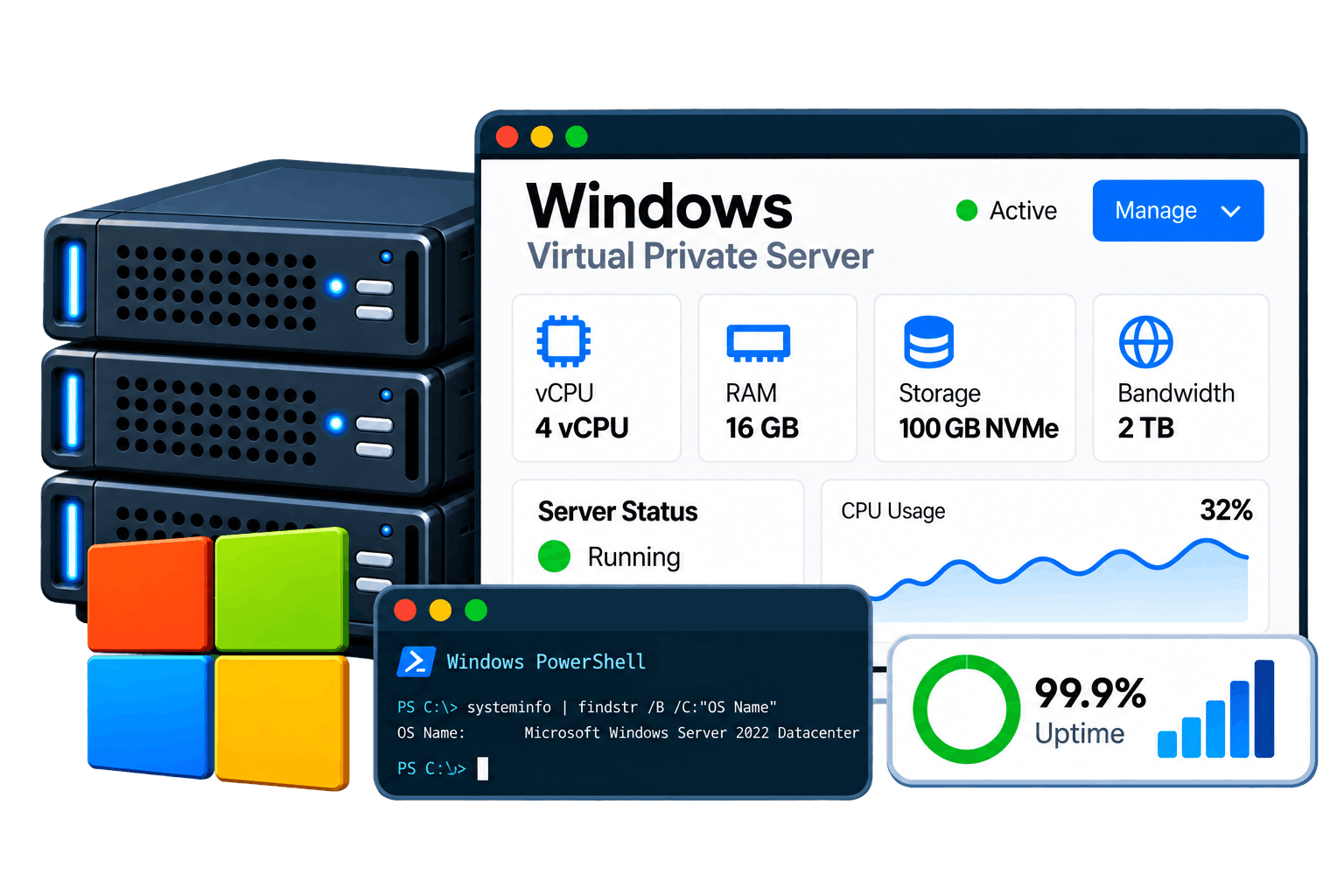
Fast, secure and scalable Windows VPS hosting built for businesses, developers and growing workloads, with pricing designed to fit your needs. Get reliable performance, quick deployment and the flexibility to run your applications with full control over setup and administration.
- 100% Dedicated Resources
- Ultra-Fast NVMe
- 99.9% uptime
- Microsoft Defender Security
- DDoS Protection
Windows VPS Plans & Pricing in Bahrain
Find the right Windows VPS price in Bahrain for your budget with flexible plans designed for different workloads and resource requirements. Our Windows VPS plans include 100% dedicated vCPU and vRAM, fast NVMe SSD storage, KVM isolated virtualization and full administrator RDP control. Compare plans and choose the configuration that fits your needs.
WCC-16.32
| vCPU | 16 vCPU |
| Memory | 64 GB |
| Storage | 950 GB SSD NVMe |
| Network | 1 Gbps |
| Bandwidth | Unmetered |
| SSH Access | Yes |
| IP Address | Dedicated |
| OS | Linux |
Starting from
BHD97.28
/moWCB-4.16
| vCPU | 4 vCPU |
| Memory | 16 GB |
| Storage | 250 GB SSD NVMe |
| Network | 1 Gbps |
| Bandwidth | Unmetered |
| SSH Access | Yes |
| IP Address | Dedicated |
| OS | Linux |
Starting from
BHD24.32
/moWCM-8.32
| vCPU | 8 vCPU |
| Memory | 32 GB |
| Storage | 500 GB SSD NVMe |
| Network | 1 Gbps |
| Bandwidth | Unmetered |
| SSH Access | Yes |
| IP Address | Dedicated |
| OS | Linux |
Starting from
BHD45.60
/moWCS-8.32
| vCPU | 8 vCPU |
| Memory | 32 GB |
| Storage | 950 GB SSD NVMe |
| Network | 1 Gbps |
| Bandwidth | Unmetered |
| SSH Access | Yes |
| IP Address | Dedicated |
| OS | Linux |
Starting from
BHD75.24
/moWindows VPS features
Every Windows VPS server on Qpeck ships with the same infrastructure standard, regardless of plan size.
KVM virtualization
Full hardware virtualization gives your Windows VPS its own isolated environment.
NVMe SSD storage
All-flash SSD storage on every plan for consistently low read and write latency.
Remote Desktop Protocol
Full administrator access over RDP, ready as soon as your server is provisioned.
IPv4 & IPv6
A dedicated IPv4 address plus a full IPv6 allocation, included on every plan.
Snapshots
Capture your Windows virtual server's state before a risky change and roll back in a click.
Scalable resources
Resize vCPU, RAM, and storage on the same Windows Cloud VPS instance as you grow.
API access
Automate provisioning, configuration, and maintenance with PowerShell from day one.
24/7 support
Real engineers available around the clock for both managed and unmanaged Windows VPS plans.
Supported Windows Server editions
All three editions run on every Windows VPS plan — switch at checkout, or reinstall later from your dashboard.
Windows Server 2025
he newest Windows Server release, with the current security baseline and the latest IIS version.
Best for: modern Active Directory, hybrid cloud integrations
Windows Server 2022
A mature, widely deployed edition with secured-core capabilities and broad software compatibility.
Best for: business applications, standard IIS/.NET hosting
Windows Server 2019
A long-standing edition with a proven deployment track record and familiar management tools.
Best for: legacy application compatibility
Which Windows Server edition should you choose?
If you're not sure where to start, this is usually enough to decide.
| If you want… | Choose | Why |
|---|---|---|
| The longest support window and newest features | Windows Server 2025 | Current security baseline, newest IIS release |
| A proven, widely compatible default | Windows Server 2022 | Mature ecosystem, secured-core capabilities |
| Compatibility with an older, established application | Windows Server 2019 | Long deployment track record, familiar tooling |
Why choose Windows VPS?
A Windows VPS gives you the familiar Microsoft environment your team already knows, backed by the dedicated resources of a proper virtual private server.
Native Microsoft ecosystem
Built on genuine Windows Server, so Microsoft software behaves exactly as expected.
Familiar graphical management
Administer your Windows VPS through the same desktop interface your team uses every day.
Built for ASP.NET & .NET
Run .NET and ASP.NET applications on the platform they were actually written for.
Ready for business
From a single line-of-business app to an enterprise Windows VPS deployment, the platform scales with you.
Active Directory ready
Join domains, manage users, and enforce group policy the way your organization already does.
Regularly patched
Windows Update runs on your schedule, backed by Microsoft's ongoing security patching.
Popular Applications for Windows VPS
Configure the core Microsoft technologies your applications depend on directly on your Windows VPS.
IIS
Microsoft's native web server
Microsoft SQL Server
The standard Windows database engine
Active Directory
Domain services & identity management
Plus everything a Windows-based development team needs, ready to configure:
Common Windows VPS use cases
If a workload depends on the Microsoft stack, a Windows VPS server is usually the right fit.
Enterprise applications
ASP.NET & .NET hosting
SQL Server databases
Remote Desktop workspaces
Active Directory domains
Business software hosting
Windows VPS vs. other hosting solutions
Here's how a Windows VPS server stacks up against the other hosting options you're likely comparing it to.
| Feature | Shared Hosting | Linux VPS | Windows VPS | Bare Metal |
|---|---|---|---|---|
| Administrator access | No | Yes (root) | Yes | Yes |
| Remote access method | Control panel only | SSH | Remote Desktop (RDP) | RDP or SSH, depending on OS |
| Resource allocation | Shared, oversold | Dedicated per VM | Dedicated per VM | Entire physical server |
| Licensing cost | None | None | Included, priced in | Depends on OS chosen |
| Best for | Small brochure sites | Open-source stacks | .NET, SQL Server, Microsoft-stack apps | Maximum, dedicated performance |
Why choose Qpeck Windows VPS?
Plenty of Windows VPS providers sell virtual machines — the difference shows up in what happens after checkout.
Real dedicated resources
Your vCPU and RAM allocations are reserved, not oversold across tenants — as a Windows VPS hosting provider, we don't cut corners here
All-NVMe infrastructure
Every plan runs on NVMe SSD storage by default, no legacy spinning disks.
Genuine Windows Server licensing
Windows Server 2025, 2022, or 2019 — licensed and included, no separate cost to track down.
Managed & unmanaged options
Full control on unmanaged Windows VPS, or full support on managed Windows VPS — your call.
24/7 technical support
Real engineers, available around the clock, for provisioning and server-level issues.
Resize without migrating
Scale vCPU, RAM, and storage on the same Windows VPS server as your workload grows.
How Windows VPS works
A hypervisor sits between the physical hardware and every virtual private server, dividing resources and enforcing isolation — so your Windows VPS behaves like a standalone machine running genuine Microsoft software.
Physical hardware
A dedicated physical server provides the underlying CPU, RAM, and NVMe SSD storage.
KVM hypervisor
KVM virtualization carves the host into isolated virtual private servers, each with reserved resources.
Your Windows VPS
An isolated instance running a full copy of Windows Server, with a guaranteed slice of CPU and memory.
Administrator access to you
Connect over Remote Desktop and manage your Windows virtual server exactly like a standalone machine.
Your Windows VPS runs on isolated KVM virtualization — a full, independent Windows Server instance, with no shared tenancy.
Security & network
Isolation at the hypervisor level is the foundation — every Windows VPS ships with additional protection built in.
DDoS protection
Volumetric attacks are filtered upstream before they ever reach your Windows VPS server.
Windows Firewall
Manage inbound and outbound rules through Windows Firewall or your control panel.
Secure Remote Desktop
Restrict RDP access by IP and enforce strong administrator credentials from the start.
Dedicated IPv4 & IPv6
A dedicated public IPv4 address plus a full IPv6 allocation on every Windows virtual server.
Private networking
Connect multiple Windows VPS instances over an internal network, isolated from the public internet.
Resource monitoring
Dashboard alerts flag unusual CPU, memory, or traffic patterns early.
Frequently Asked Questions
Windows VPS hosting provides a virtual private server running Windows Server in an isolated environment. It gives you dedicated virtual resources, administrator access and the flexibility to install and run websites, applications, databases and other Windows-compatible software.
A Windows VPS server is a virtual private server running a Windows Server operating system. It provides more control and dedicated resources than shared hosting, making it suitable for websites, business applications, development environments and other workloads that require a Windows-based server.
Qpeck Windows VPS cost in Bahrain start from BHD24.32/month, making it easy to choose a configuration that fits your workload and budget. Select the vCPU, RAM and NVMe SSD storage you need, then compare our Windows VPS plans above to find the right option for your requirements.
Yes. You can buy Windows VPS hosting in Bahrain from Qpeck and choose a configuration based on your resource requirements. Select a Windows VPS plan, complete your order and deploy your server for your website, application or business workload.
Yes. Qpeck provides affordable Windows VPS hosting with flexible plans designed for different workloads and budgets. You can choose the required vCPU, RAM and NVMe SSD storage based on your application requirements and select a plan that fits your budget.
Yes. Windows VPS provides Remote Desktop access (RDP), allowing you to connect to your Windows server remotely and manage the operating system, applications, users and server settings through a graphical desktop environment.
Yes. With administrator access, you can install and configure compatible applications according to your requirements. A Windows VPS can be used for business software, development environments, web applications, databases and other Windows Server workloads.
Yes. A Windows VPS for ASP.NET applications can provide the Windows Server environment required for hosting ASP.NET websites and applications. You can configure IIS, deploy your application and install the supporting software required by your workload.
Yes. IIS (Internet Information Services) can be installed and configured on a Windows VPS to host websites and web applications. It is suitable for Windows-based websites and applications that require Microsoft's web server environment.
A Windows VPS can be used to host workloads that require Microsoft SQL Server, subject to the applicable Microsoft licensing and resource requirements. You can select a VPS configuration appropriate for your database workload.
Qpeck provides supported Windows Server versions according to the options available when you order your Windows VPS. Available versions can include Windows Server 2025, Windows Server 2022 and Windows Server 2019, depending on the current product configuration.
A Windows VPS can be used for websites, ASP.NET applications, IIS hosting, business software, development and testing environments, databases, remote applications and other Windows-based workloads that require a dedicated virtual server environment.
Yes. Windows VPS hosting is suitable for businesses that need a Windows-based environment with dedicated virtual resources, administrator access and the flexibility to configure their server for business applications and workloads.
Shared hosting places multiple websites on a shared hosting environment with limited server-level control. A Windows VPS provides an isolated virtual server with dedicated virtual resources and administrator access, giving you greater control over the operating system, applications and server configuration.
A Windows VPS is a virtual server created on physical infrastructure, while a dedicated server provides an entire physical server for one customer. Windows VPS hosting is generally suited to customers who need server-level control and dedicated virtual resources without requiring an entire physical machine.
Yes. A scalable Windows VPS can be upgraded when your workload requires additional resources. You can choose a higher configuration when your website, application, database or business workload needs more computing capacity.
The support and management options depend on the Windows VPS plan you select. Customers can choose the support level that matches their technical requirements and decide how much server administration they want to handle themselves.
Windows VPS deployment time depends on the selected configuration and provisioning process. Once your order is processed, the server can be provisioned and made available for remote administration.
Yes. Qpeck supports Windows VPS pricing in Bahraini Dinar (BHD) for customers in Bahrain. You can view Windows VPS prices in BHD, making it easier to compare plans and choose a Windows VPS based on your requirements and budget.
Qpeck's cheapest Windows VPS plan starts at BHD24.32/month in Bahrain. It provides an affordable entry point for users looking for a low-cost or cheap Windows VPS for websites, development environments and other workloads with modest resource requirements. You can compare the available Windows VPS plans above to find the configuration that fits your needs.