
Microsoft 365 business email
Run your inbox on Outlook and Exchange, under your own domain
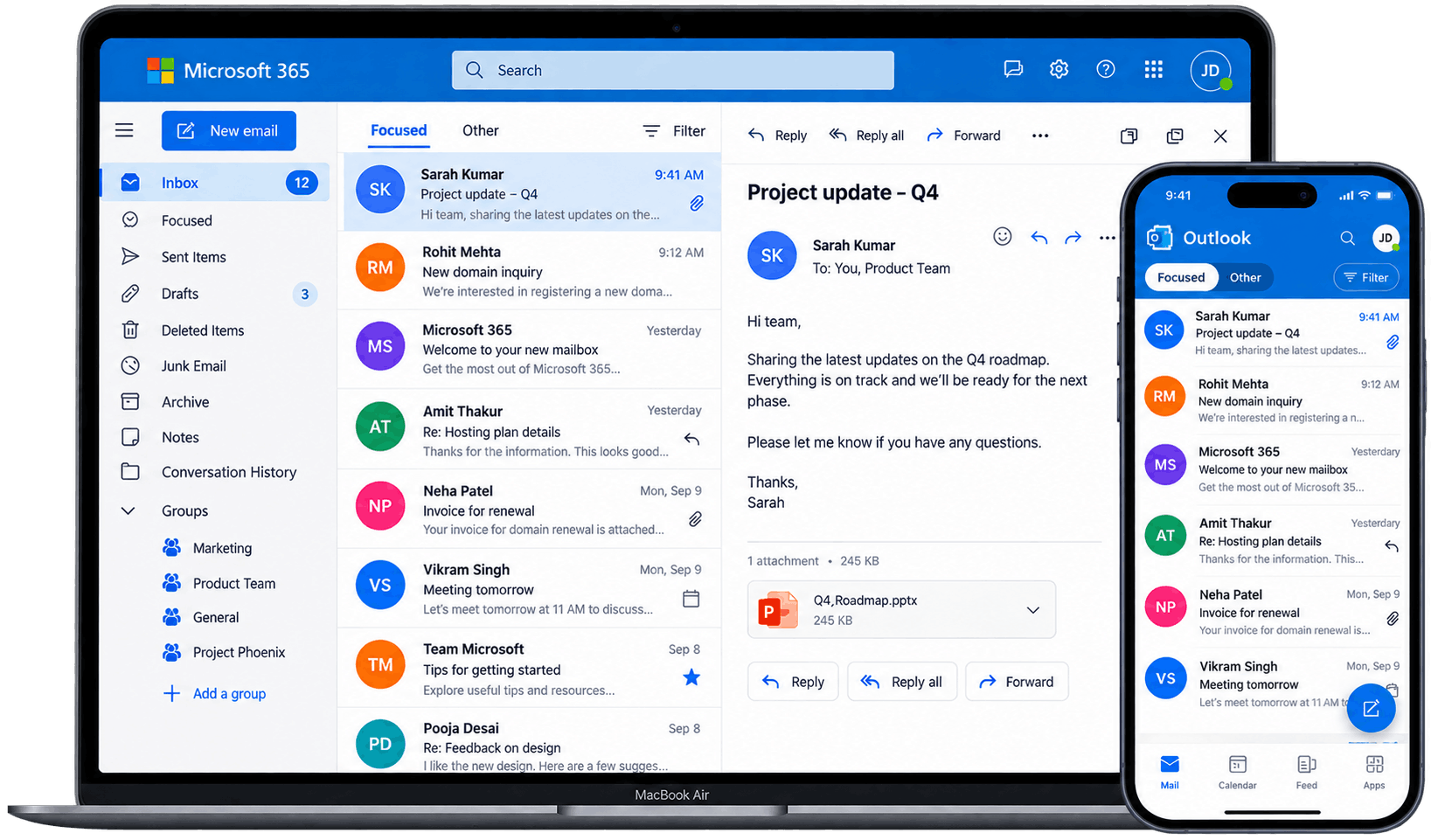
Buy Microsoft 365 Business Email hosting from Qpeck and give your team Outlook, Exchange Online and 50 GB of storage per mailbox, all connected to your own company domain. Set up your first mailbox in minutes and keep every conversation looking professional.
- Microsoft 365 licenses, billed annualy
- Outlook, Exchange Online, OneDrive and Teams
- Built-in spam, phishing and malware filtering
- Free migration assistance from your current provider
Ready to buy Microsoft 365 Business Email?
Pick a Microsoft 365 Business Basic, Standard or Premium plan based on your team size, storage needs and budget, and get your mailboxes live today.
Microsoft 365 Business Basic
Professional email and Office in your browser — nothing to install.

Microsoft 365 Business Standard
The full desktop Office suite, installed on your devices, with email and Teams.
Microsoft 365 Business Premium
Everything in Standard, plus the security a growing team needs.
Compare what’s included
A closer look at the difference between plans, feature by feature.
| Feature | Business Basic | Business Standard | Business Premium |
|---|---|---|---|
| Custom domain email (Exchange Online) | ✓ | ✓ | ✓ |
| Mailbox storage per user | 50 GB | 50 GB | 50 GB |
| Office apps | Web & mobile only | Desktop + web + mobile | Desktop + web + mobile |
| Devices per user (desktop install) | — | 5 PCs/Macs | 5 PCs/Macs |
| OneDrive storage (separate from mailbox) | 1 TB | 1 TB | 1 TB |
| Microsoft Teams | ✓ | ✓ | ✓ |
| SharePoint | — | ✓ | ✓ |
| Access & Publisher (Windows) | — | ✓ | ✓ |
| Microsoft Defender for Business | — | — | ✓ |
| Intune device management | — | — | ✓ |
| Microsoft Purview compliance tools | — | — | ✓ |
| Maximum users | 300 | 300 | 300 |
Everything you get with Microsoft 365 Business Email
Every Qpeck Microsoft 365 plan bundles the core Microsoft tools your team already knows, connected to your own business domain.
Custom business domain
Use your own domain for every Microsoft 365 mailbox you create.
Outlook & Exchange Online
Send and receive mail through Outlook, backed by Exchange Online hosting.
Access from any device
Sign in to your Microsoft 365 mailbox from web, desktop or mobile.
Built-in threat protection
Microsoft's spam, phishing and malware filtering runs on every plan.
Aliases & shared mailboxes
Route messages to the right people with aliases and shared mailboxes.
Secure by default
Encrypted connections and Microsoft's security stack protect every mailbox.
24/7 customer support
Get help with setup, DNS records and licensing whenever you need it.
Microsoft licensing
Every mailbox runs on an authentic, Microsoft-billed 365 subscription.
Microsoft 365 Business Email that works as hard as your team
Outlook, Exchange and Microsoft's security tools, set up around your business domain so you can communicate with confidence.
Build trust with every email you send
A Microsoft 365 Business Email address on your own domain tells customers and partners they're talking to a real, established business — not a free personal account.
Keep your inbox protected by Microsoft
Every mailbox runs on Microsoft's own spam, phishing and malware filters, so your team spends less time cleaning inboxes and more time on real work.
Stay connected wherever you work
Open your Microsoft 365 mailbox in a browser, the desktop Outlook app, or on your phone — your mail, calendar and contacts stay in sync everywhere.
Give your team the email they need
Create a Microsoft 365 mailbox for every employee, plus shared mailboxes and aliases so sales, support and general enquiries never get lost.
Microsoft 365 Business Email for every stage of business in Canada
Every business starts with a different requirement. Tell us what you're working on, how many mailboxes you need today, and where you're headed. Our team will use that context to recommend the right Microsoft 365 plan for you.
Startups
Launch on Microsoft 365 Business Basic and look established from your first customer.
Small businesses
Give your team Outlook and Office apps on Business Standard without overpaying.
Growing businesses
Add mailboxes and move to Business Premium as your security needs grow.
Enterprises
Build a Microsoft 365 email setup around your organization's users, compliance and domains.
How to set up Microsoft 365 Business Email
Get your Microsoft 365 mailboxes up and running in a few simple steps.
Choose your business domain
Register a new domain with Qpeck or use your existing business domain.
Choose your Microsoft 365 plan
Pick Business Basic, Standard or Premium and set the number of mailboxes you need.
Create your mailboxes
Set up Microsoft 365 addresses such as name@yourcompany.com for your team.
Configure your DNS records
Complete the MX, SPF and DKIM records required to connect your domain to Microsoft 365.
Start using Outlook
Sign in to Outlook on the web, desktop or mobile and start sending business email.
Microsoft 365 Business Email security matters
Your Microsoft 365 mailbox carries important conversations, customer information and company data. Microsoft's built-in security tools, combined with Qpeck's setup and support, help keep every mailbox protected.
Spam protection
Microsoft's filters keep unwanted and potentially harmful messages away from your inbox.
Secure email access
Every connection to your Microsoft 365 mailbox is encrypted, on any device.
Email authentication
SPF, DKIM and DMARC support helps protect your domain and sender reputation.
Account protection
Multi-factor authentication and conditional access help protect every Microsoft 365 mailbox in your organization.
Why buy Microsoft 365 Business Email from Qpeck?
Genuine Microsoft 365 licenses, backed by the setup support and pricing your business can rely on.
Microsoft 365 licenses
Every mailbox runs on an authentic Microsoft 365 subscription — never a reseller substitute.
Business-grade security
Protect your business communication with Microsoft's spam, malware and threat protection built in.
Plans that grow with you
Start on Business Basic and upgrade to Standard or Premium as your team and security needs grow.
Free migration assistance
Our team helps you move existing mailboxes into Microsoft 365 without losing mail or contacts.
Competitive Microsoft 365 pricing
Get straightforward Microsoft 365 Business Email pricing, with plans designed for different team sizes and mailbox requirements.
24/7 support from Qpeck
Get help whenever you need assistance with DNS, licensing, mailbox configuration or access.
Frequently Asked Questions
It's Microsoft's hosted email service for businesses, built on Exchange Online. Instead of running your own mail server, Microsoft hosts your inbox in the cloud, giving you a professional address on your own domain (like [email protected]) along with calendars and contacts, accessible through Outlook or the web.
Three main tiers: Business Basic, Business Standard, and Business Premium. All include hosted email and core collaboration tools, but differ in whether you get desktop apps and how much security is built in. There's also Apps for Business, but that skips email entirely.
Business Basic gives you a business email address on your own domain, web and mobile versions of Word, Excel, PowerPoint, and Outlook, Microsoft Teams, and cloud storage via OneDrive and SharePoint. It doesn't include installable desktop apps — everything runs in a browser or mobile app.
Basic covers email and web apps only. Standard adds the full installable desktop versions of Word, Excel, PowerPoint, and Outlook. Premium builds on Standard with advanced threat protection, device management via Intune, conditional access, and stronger data protection for sensitive info.
Yes. During setup you add and verify your domain, adding a few DNS records with your registrar to confirm ownership and route mail correctly. Once verified, every mailbox uses your domain instead of a generic Microsoft address.
Each mailbox on Basic, Standard, and Premium comes with 50 GB of storage by default — generous for most users. You also get 1 TB of OneDrive storage per person, which helps offload large attachments or older mail if a mailbox ever gets close to full.
Yes. Business Basic gives you the web and mobile versions of Outlook. Standard and Premium add the full desktop version that installs on Windows or Mac, with offline access and the deeper features of a native app.
Yes. It works across Windows, Mac, iOS, and Android. Use the Outlook mobile app on your phone, the desktop app on Standard or Premium, or just a browser at outlook.office.com. Mail, calendar, and contacts stay in sync automatically across devices.
Each license covers installing the desktop apps on up to 5 PCs or Macs, 5 tablets, and 5 phones per person. So a work laptop, home computer, tablet, and phone all fit comfortably under one license — you're paying per user, not per device.
Yes, Teams is included in all three business plans. It covers chat, video meetings, and file collaboration, and ties directly into your Outlook calendar for scheduling. Even on the cheapest plan, you're not missing out on it.
Every user gets 1 TB of OneDrive storage regardless of plan — Basic, Standard, or Premium. That's personal storage per person, separate from any shared SharePoint storage your team uses for shared documents and team sites.
Premium adds Microsoft Defender for Office 365 to screen email for phishing and malicious attachments, Intune for mobile device management, conditional access policies to control sign-ins, and Azure Information Protection to restrict who can open or forward sensitive files.
Yes, all three plans include them. Basic only gives you the web and mobile versions. Standard and Premium add the full installable desktop apps, which matters if your team relies on advanced Excel formulas or add-ins.
Yes. Whether you're coming from another hosted provider, an on-premises Exchange server, or personal Gmail accounts, Microsoft 365 supports migrating mailboxes, calendars, and contacts over, usually with minimal disruption to your team.
Basic, Standard, and Premium all support up to 300 users. If you're larger than that or expect to grow well past it, Microsoft's Enterprise plans (E3, E5) are the better long-term fit.
Yes. You can move from Basic up to Standard or Premium anytime without losing existing mailboxes, mail history, or files. Many businesses also run a mix of plans, giving Premium only to users who need the extra security.
Yes. New hires can get a mailbox set up in minutes, and when someone leaves you can remove their license and free it up for the next person, while still keeping access to their old mail if needed. You're not locked into a fixed seat count.
Sign up for a plan, add your domain, verify ownership through a few DNS records, then create mailboxes for your team. Once verified, mail routing (MX records) points to Microsoft. If migrating from elsewhere, there's usually an extra step to import old mail.
Both are typically available. Monthly billing offers flexibility, while an annual commitment usually gets you a lower per-user rate. Worth checking current pricing when you buy, since Microsoft periodically adjusts its rates.
Reach out to our team with your mailbox count and preferred plan. We'll help pick the right tier, connect and verify your domain, and set up mailboxes for your team. If migrating, we'll move your existing mail over too, and handle support and billing going forward.
Yes. You can purchase Microsoft 365 Business Mail through Qpeck and pay in Canadian Dollar (CAD). Qpeck displays Microsoft 365 pricing in the selected local currency, making it easier for businesses in Canada to compare plans and complete their purchase.